



Have you ever opened Instagram, only to scroll for five minutes and suddenly lose half an hour? Most of us use Instagram every day, but we usually do so in the same basic way. We watch reels, like posts, reply to stories, and occasionally upload a photo. What many people do not realise is that Instagram has several hidden and lesser-known features that can make daily use easier, smarter, and more enjoyable.
These Instagram features most people don’t know about are not complicated or technical. They are practical tools designed to save time, enhance privacy, and give you more control over what you see and share. Once you start using them, Instagram feels far less chaotic and much more personal.
Let us explore these hidden Instagram features in a simple and useful way.
Quiet Mode to Take a Break Without Logging Out
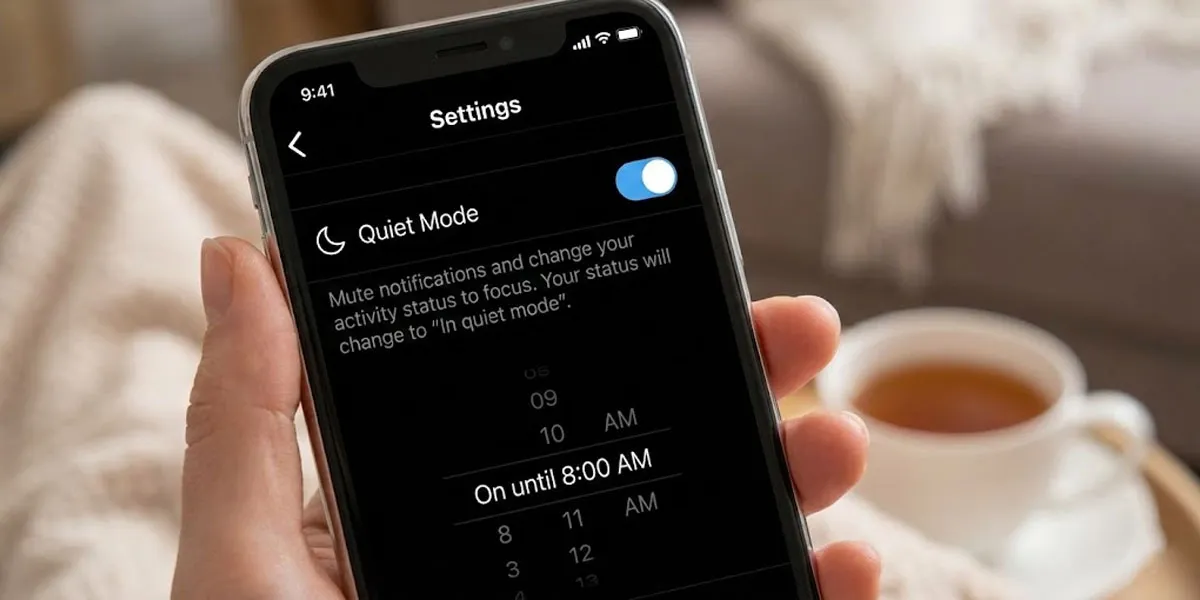
Instagram can be distracting, especially when notifications keep popping up throughout the day. Quiet Mode is one of the most useful Instagram tips for everyday users.
What does Quiet Mode do?
Quiet Mode pauses notifications for a fixed time. You still receive messages and alerts, but Instagram does not disturb you.
When does it help the most?
You can turn it on during work hours, study time, or even while sleeping. It is perfect when you want a break without uninstalling the app.
How to use it?
Go to Settings, then select Notifications, and then turn on Quiet Mode. Select the time range that suits you.
This feature is a great example of Instagram’s hidden settings that support mental peace.
Hidden Words to Filter Unwanted Comments and Messages

Not all comments and messages feel good. Instagram allows you to hide words that you do not want to see.
Why does this feature matter?
You can avoid spam, negativity, or repeated unwanted phrases without blocking people.
How does it work?
Instagram automatically hides comments and messages that include selected words or emojis.
Where to find it?
Go to Settings, then Privacy, then Hidden Words. You can add your own words to the list.
This is one of the lesser-known Instagram features that quietly improves your experience.
Save Posts into Custom Collections
Most people tap the save icon but never organise saved posts. Instagram allows you to create collections to organise your saved content.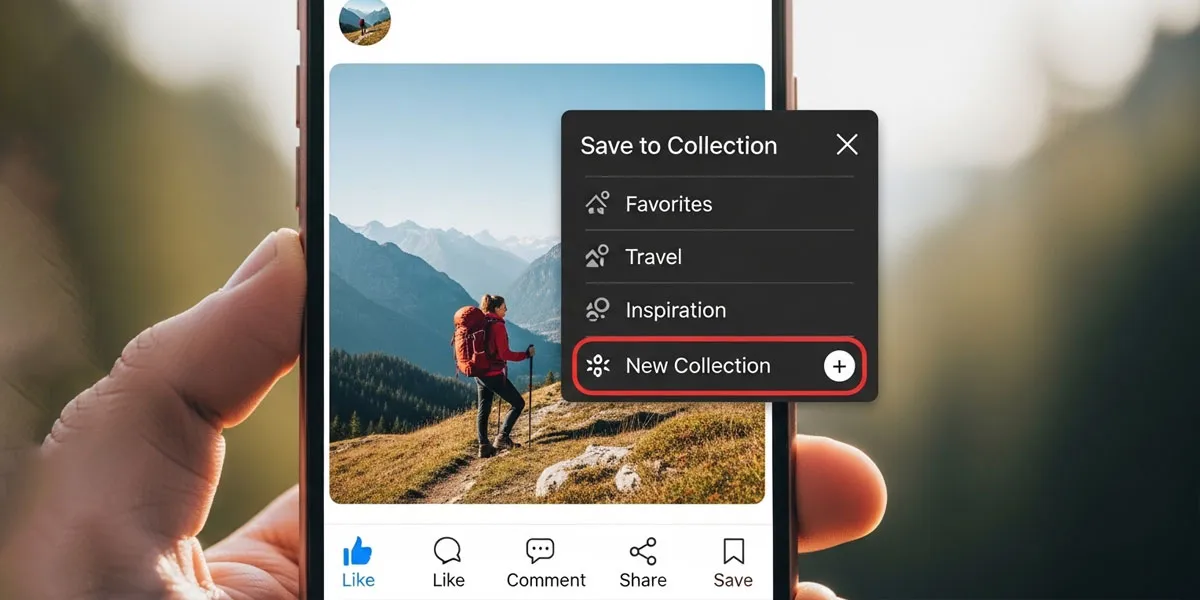
What are the practical uses?
You can create collections like Travel Ideas, Workout Plans, Recipes, or Content Inspiration.
Why is it useful?
Instead of scrolling endlessly to find a saved post, you can open the exact collection you need.
How to create a collection?
When saving a post, tap Save to Collection and create a new folder.
This feature is extremely helpful for people who use Instagram for ideas and planning.
Pin Comments on Your Posts
Pinning comments is one of the Instagram features most people don’t know about, especially casual users.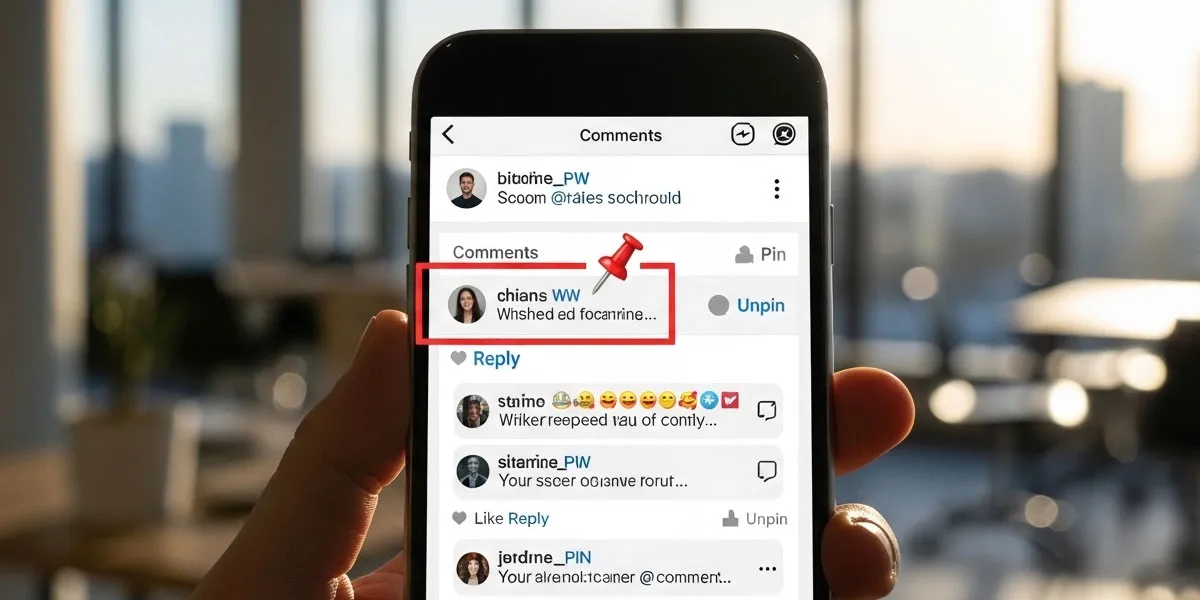
What does pinning mean?
You can pin up to three comments at the top of your post.
When to use it?
Pin helpful comments, funny replies, or positive feedback to set the tone of the conversation.
How to pin a comment?
Swipe left on a comment and tap the pin icon.
This feature helps manage engagement in a subtle and friendly way.
Restrict Instead of Block
Blocking someone can feel extreme, especially if the person is someone you know. Restrict is a softer option.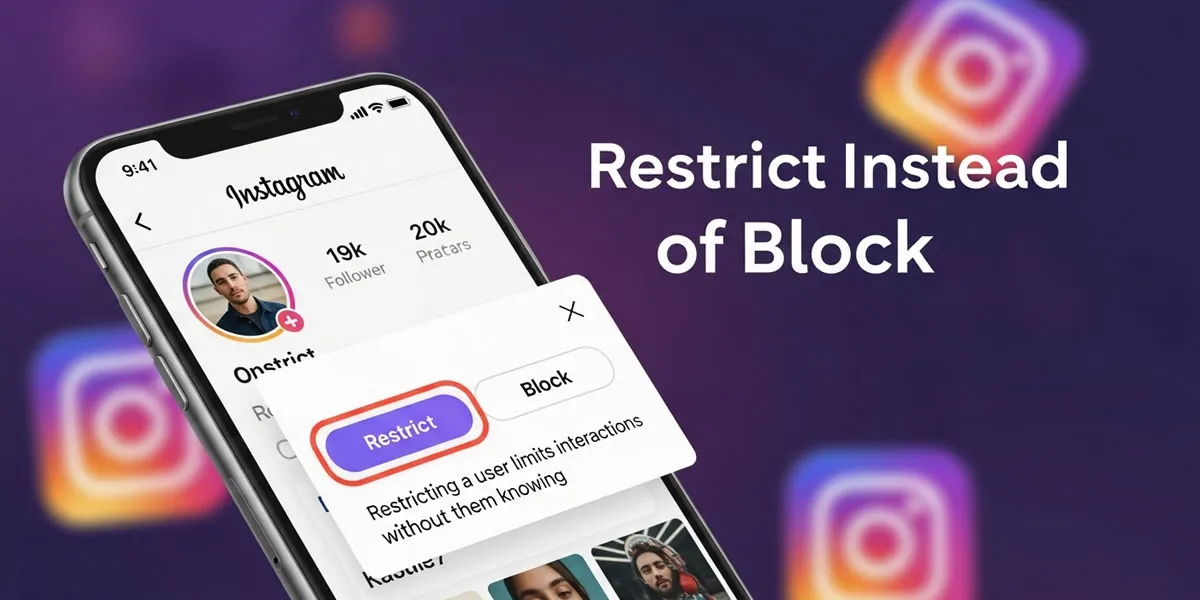
What happens when you restrict someone?
Their comments are only visible to them unless you approve them. Their messages move to message requests.
Why is restriction better sometimes?
It avoids confrontation while protecting your space.
How to restrict?
Go to the person’s profile, tap the three dots, and select Restrict.
This is one of the most practical Instagram privacy features for everyday situations.
Archive Posts Without Deleting Them
Sometimes you want to remove a post from your profile without deleting it forever.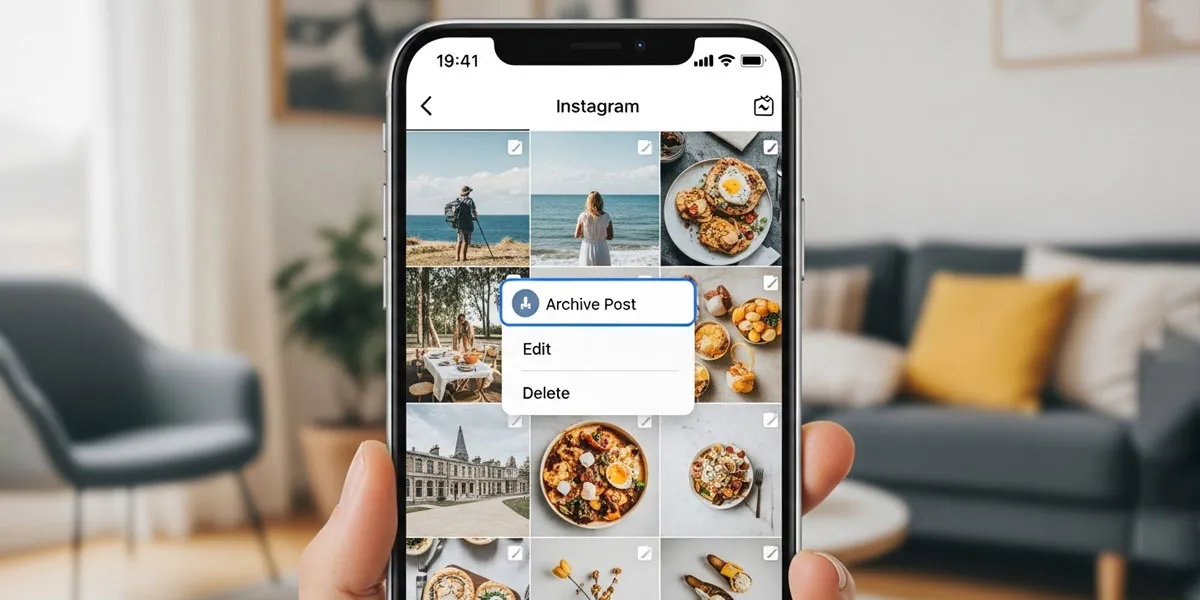
What does archiving mean?
The post disappears from your profile but stays saved privately.
When to use it?
If your feed feels cluttered or outdated, archiving helps refresh your profile without losing memories.
How to archive a post?
Tap the three dots on a post and select Archive.
This feature is ideal for people who like a clean profile look.
Reply to Stories with Voice Messages
Typing replies is common, but many users are unaware that they can send voice replies to stories.
Why do voice replies feel better?
They sound more personal and natural, especially when replying to close friends.
When to use it?
Use voice replies for quick reactions or emotional responses.
How to send one?
Open a story, tap the message box, and hold the microphone icon.
It is a small feature that adds warmth to conversations.
See How Much Time You Spend on Instagram
Instagram quietly tracks your daily usage, and you can view it at any time.
Why is this feature helpful?
It gives you awareness without judgment.
What can you do with it?
Set daily reminders to manage your screen time more effectively.
Where to find it?
Go to Settings, then Your Activity, then Time Spent.
This is one of the Instagram features that supports healthier habits.
Mute Stories and Posts Without Unfollowing
Unfollowing people can feel awkward. Muting gives you control without hurting feelings.
What does muting mean?
You stop seeing someone’s posts or stories, but they remain on your list of followers.
When does it help?
If someone posts too frequently or the content no longer interests you, then you can mute their stories and posts without unfollowing them.
How to mute?
Tap and hold their story or go to their profile and choose Mute.
This is one of the most commonly overlooked Instagram tips.
Use Close Friends for More Personal Stories
Not every story needs to be public.
What do Close Friends do?
It allows you to share stories with a select group only.
Why is it useful?
You can be more relaxed and personal without overthinking.
How to set it up?
Go to your profile, tap the menu, select “Close Friends,” and add the people you want to include.
This feature helps maintain boundaries on social media.
Instagram Notes for Quick Thoughts
Notes appear at the top of your inbox and disappear after 24 hours.
What makes Notes special?
They are short, casual, and convey a less serious tone than stories.
When to use them?
Share quick updates, thoughts, or questions.
How to post a note?
Go to Messages, tap your profile icon at the top, and write a note.
This is one of the newest Instagram features that many users miss.
Conclusion
Instagram is more than just scrolling and posting photos. These Instagram features most people don’t know about are designed to make daily use smoother, safer, and more enjoyable. From Quiet Mode and Hidden Words to saving posts in collections and using Close Friends, each feature gives you more control over your experience.
You do not need to use everything at once. Try one or two features that feel useful to you. Over time, Instagram can feel less overwhelming and more intentional. Small changes often make the biggest difference.